Motion Tracking in After Effects (Sci-Fi Interface)
 Jordy Vandeput
212K views
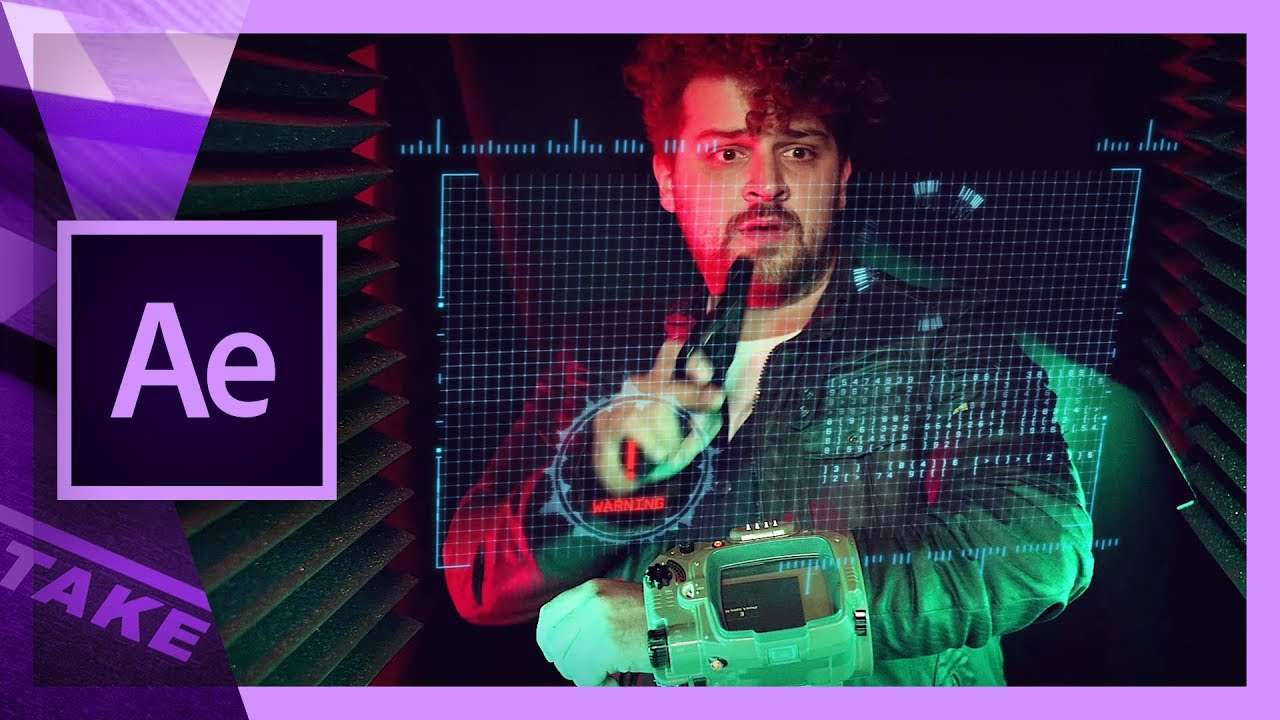
Learn how to motion track inside Adobe After Effects and create Sci-Fi elements and radars from the Rocketstock Interface Pack.
We don't publish After Effects tutorials that often, but when we keep it for beginners. One of the most used tools in After Effects is the motion tracker. This is a tool that allows you to track the movement of you actor. Once you understand how this technique works, you can basically assign anything to that tracking point.
In this tutorial video we'll be using Rocketstock's Interface, which is a pack with more than 400 Sci-Fi elements. Simply drag and drop to create your own custom designs.
You can download the the project file from the big button above and all the elements used in the video (from Rocketstock Interface) are in there as well!
The Setup
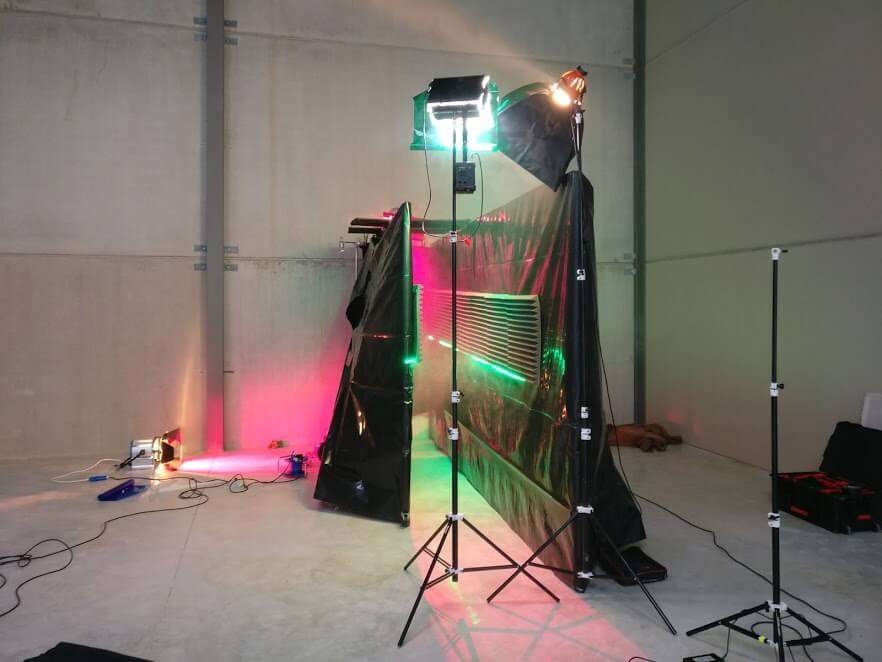
We had a lot of fun shooting a demo for the tutorial. You can get pretty creative with lighting and set dressing for a sci-fi themed scene.
We simply put up some fake walls with some black plastic around it. On here we applied some Auralex foam which we had laying around. It has a nice shape which helps to create long depth to the back. Underneath the foam we applied an LED strip, which we put on green lighting.
Further more we mostly worked with magenta lighting from the back and green lighting on the front (key light). This color contrast creates a lot of depth, which suits perfect for this sci-fi genre. To keep the sin tones natural, we've added some clean tungsten lighting from the front. It's an 800W redhead with softbox as you can see in the picture above.
Motion Tracking
Once we had the demo clip, we could bring it into After Effects to motion track. Instead of using the automatic 'camera tracker', we used the manual 'motion tracker', which gives us more control. Tracking doesn't always go as planned, so it's important you keep an eye to your tracking points. Every time they move to a wrong position, stop your tracking and preposition them.
RocketStock Inferface
Featuring over 400 video elements, the Interface pack is the definitive Heads Up Display (HUD) pack. Whether enhancing futuristic videos, adding impact to corporate projects or beyond, this collection makes it easy to build your ideal HUD. With Interface, you have total creative control. Large resolution files make for seamless scalability, while in, out, and loop options allow for customized timing.
Jordy Vandeput
Founder of Cinecom · 2.75M+ subscribers on YouTube
Jordy Vandeput is a Belgian filmmaker who has taught practical filmmaking to millions through Cinecom. He breaks professional techniques down into clear, repeatable steps you can use on your very next project.







29 comments
Hi there, Thanks for the tut, you made it easy for us as usual But please advise where can I download the project file in AE. Extension ?
just pay $2 usd for it..and it cant even play on quicktime and AE prompt that it has error..pls help
It is fake, wheres the project file
You are mistaken. I can prove it.
Super post. Do you have any other ones you can drop? I love the content. :)
Super post. Do you have any other ones you can deliver? I love this. :)
have downloaded the package but there is no files as you are saying in your Video clip i only got two Clips 119mb. Wanted to try what you have tought on motion tracking. kindly can send the full file rocketstock interface on my email
Same question
You must be kidding guys! The full pack is actually about 5GB, and worths like 79$ !! You can go and buy it from Rocketstocks itself.
Hey there, You have done a fantastic job. I will definitely digg it and personally suggest to my friends. I’m sure they will be benefited from this web site.
hi I want to be pro in after effect bat i haven't paypal for participe
Wow, this is truly an influencing take on this idea. And I’d like you to know that I’m really pleased you shared your feelings and knowledge and I find I am in agreement. I seriously respect the straightforward writing plus the effort and hard work you might have you spend writing this post. Loads of thanks yous for that sturdy work on top of that great luck with your web-site, I am awaiting new subjects in the near future.