DSLR Picture Styles Explained – Best Settings
 Jordy Vandeput
177K views
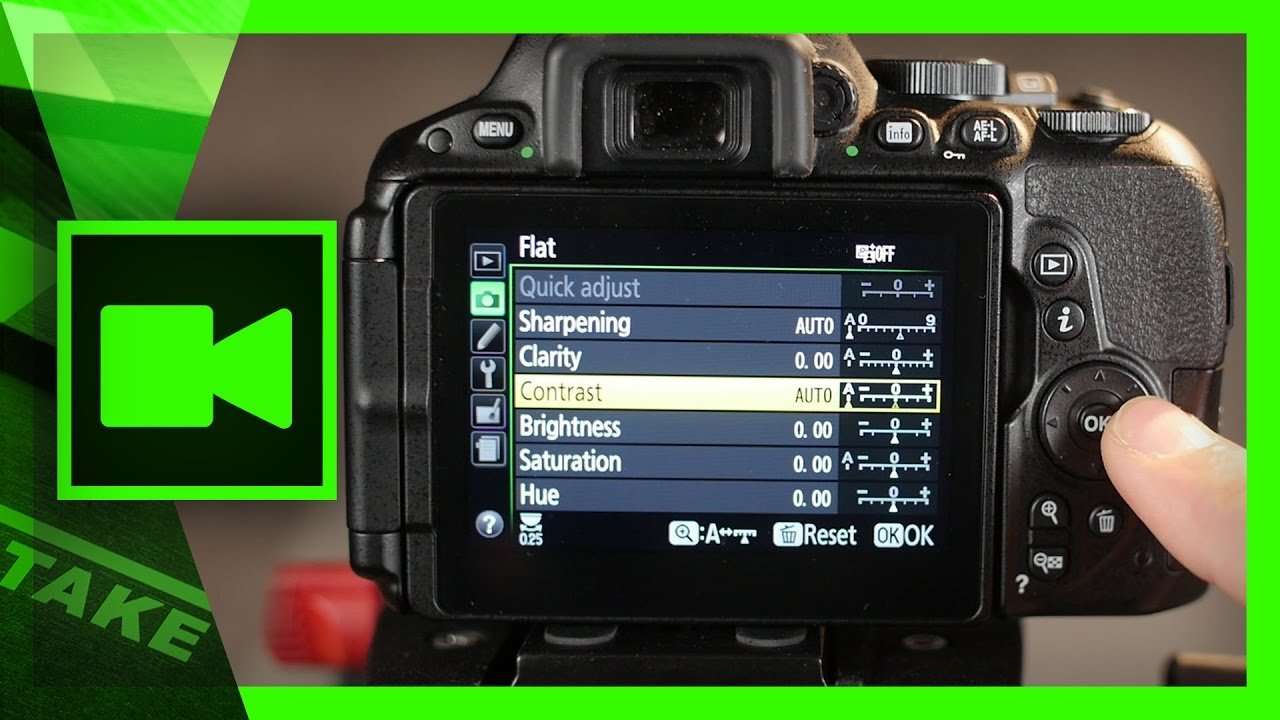
Almost any Canon, Nikon, Lumix or other DSLR camera can change their picture style or photo profile. But what's the best setting?
The picture style of your camera mainly controls the contrast and saturation of your recorded video. Those settings are baked into your shot, meaning you can't change it afterwards. Therefore it's very important to know what you're doing and which photo style you'd need to select.
Dynamic Range
Like shown in the tutorial video, we would like to get a flat image. This means, low contrast a medium saturation. What we're actually trying to accomplish is a better dynamic range. The higher the dynamic range, the more stops of light variables we can capture. For example: if you're filming underneath a tree, your subject might be very dark and the background very bright. When having a low dynamic range (when filming in something like the Vivid picture style), you'll notice that the sky is over exposed and your subject under exposed. You might even lose details in those areas which can never be recovered again.

Flat Picture Style
You can create a good flat picture style from the camera's neutral setting by dialing into the sub-settings. If your camera allows it, you can take it even a step further by going log. Log profiles are camera specific as they utilize the sensor the best, taking out the maximum possible dynamic range. Panasonic has their V-log, Sony cameras use slog2 or slog3 and Canon have their famous C-log. Sometimes you get these profiles when you get your DSLR camera, but often your need to install or even purchase it later like the Panasonic V-Log.
However, these super flat picture styles come with a downside. As shown in the tutorial video, it pushes your shadows adding much more noise into it. When having much shadows, such as in low light conditions, this noise ads up. That's why flat profiles work better in daylight or brighter environments. In low light conditions, we tend to go for a semi-flat style, such as the neutral picture style.
Best Picture Style for Color Grading
Canon DSLR
- Style: Neutral (even better is third part CineStyle)
- Sharpness: 0
- Contrast: -4
- Saturation: -2
- Color Tone: 0
Lumix DSLR
- Style: Neutral (even better is payed V-Log)
- Contrast: -5
- Sharpness: -5
- Noise Reduction: 0
- Saturation: -2
- Hue: 0
Nikon DSLR
- Style: Flat
- Sharpening: 0
- Clarity: 0
- Contrast: -3
- Brightness: 0
- Saturation: -2
- Hue: 0
VideoBlocks
This video was supported by Videoblocks, an easy to use site full of stock footage, vector images, stock photos, music, sound effects and more.
Jordy Vandeput
Founder of Cinecom · 2.75M+ subscribers on YouTube
Jordy Vandeput is a Belgian filmmaker who has taught practical filmmaking to millions through Cinecom. He breaks professional techniques down into clear, repeatable steps you can use on your very next project.






4 comments
Who're the highest grownup fashions on the earth?
Respect !
Nikon d750 colour setting
Thanks bro I like your videos?