New Features in Premiere Pro 2020
 Jordy Vandeput
Have a look at some of the new features in the updated version of Premiere Pro CC 2020.
In november 2019 Adobe has released Premiere Pro 14.0, also called Premiere Pro CC 2020. We immediately tried it out and to be honest, it had a lot of bugs when it just came out. Our daily crash count was around 10 so we decided to downgrade again and wait a while until it became stable.
Since a month we upgraded to the newest Premiere Pro 14.1 and it's actually really stable now, we haven't had a crash yet so that's great. We immediately dove into the new features and updates.
Productions
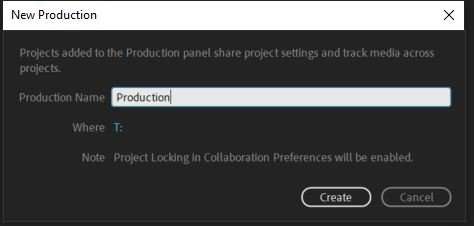
A first new feature that we noticed was the production feature. This basically let's you create a global 'master' project (AKA production) in which you can easily create sub projects. These are linked and when you enable the collaboration feature you can easily see who's editing which project. It's a great way to keep everything organized.
Together with the production panel comes along the project locking, you can lock a project inside the production so no one can edit in it, or you can unlock it so people can edit in it. You can also share project settings this way.
Auto Reframing
One of the key features that Adobe announced with its new update is the Auto Reframe. This effect basically auto reframes your video for different aspect ratios. It's an ideal tool for film makers who make a lot of social media content like square videos or vertical videos for stories. It uses keyframes which you can edit or delete to position your shot properly.
Keep in mind that this is a tool that you have to use when your edit is finished. It works quite all right but not in all cases. Sometimes it has difficulties finding a right subject to position to. I wouldn't recommend using this for complicated or big projects unless if it's a way to get started with getting a basic reframing.
Increased time remapping
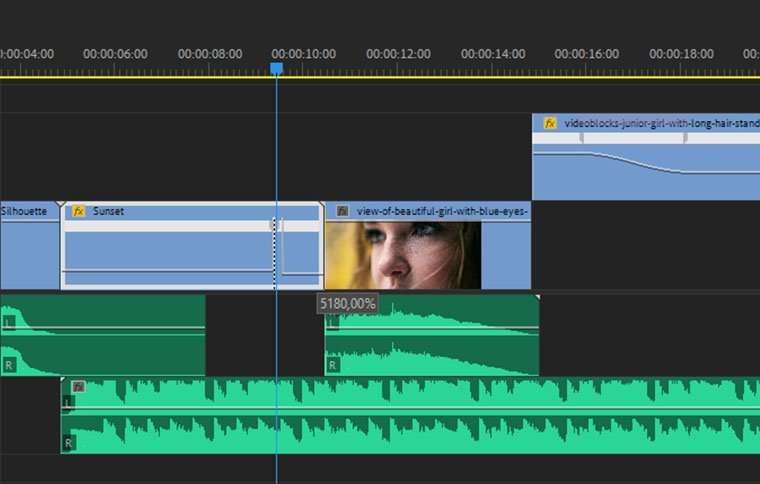
Often times you have a long clip (perhaps a timelapse) that you want to time remap. Before the 2020 update Premiere let you speed a clip up to a limit of 1.000%, this has changed to 20.000% now. Which is a huge update if you want to time remap those long clips, the only downside is the amount of time it takes to drag the slider up to the maximum percentage.
Essential Graphics Panel
This panel got a huge update, it's now way easier to make a multi-line edit field for text. And there's also a underline text style now, which wasn't there before. Also new to this is when you have a graphic in your timeline you can double click it in the source monitor to alter the text really easy.
You also have the possibility now to add animations in the essential graphics panel, like ease in and ease out, motion blur, shapes and even typewriting effects but with the use of plugins, like the ones from SmashWorks. This will give you a dropdown menu with different variations and parameters to add animations to your motion graphics.
Conclusion
These were some of the biggest updates and features, if you discovered more features let us know in the comments below. We're happy with these new updates and are eager to use them. Hopefully all of this will remain stable and Premiere will even integrate new features to these updates. Let's just hope that they will include more tracking or masking options in a future update.
Jordy Vandeput
Founder of Cinecom · 2.75M+ subscribers on YouTube
Jordy Vandeput is a Belgian filmmaker who has taught practical filmmaking to millions through Cinecom. He breaks professional techniques down into clear, repeatable steps you can use on your very next project.




0 comments