5 Tips for Efficient Editing
 Jordy Vandeput
20K views
Learn how to keep your editing workflow clean and organized with these 5 tips for Adobe Premiere Pro.
How to keep your edit clean
Tip #1 Color Labels
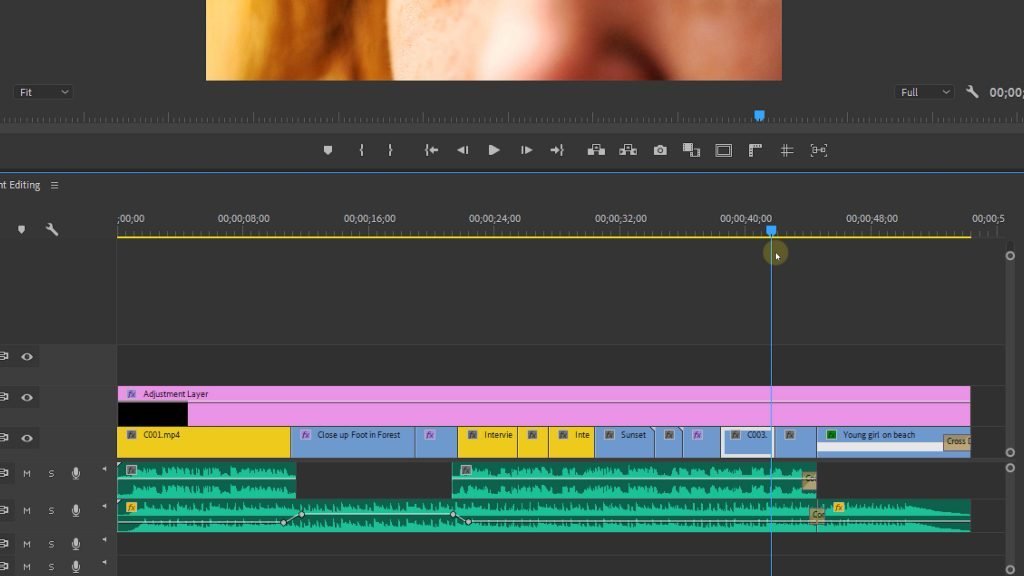
When you're working on a bigger project your timeline can become a complete mess. So to keep everything in order I highly recommend to label your footage with specific colors. Give all the interview shots a color, all the b-roll another color, ... This way you always know what type of shot you're viewing.
Tip #2 Track Tidiness
Just like labeling your colors for specific shots you can also do this with your tracks. Placing all a-roll (interview) on track number one, all b-roll on track number two and so on. You can even rename the tracks which makes it even more easier.
Tip #3 Type of Clips
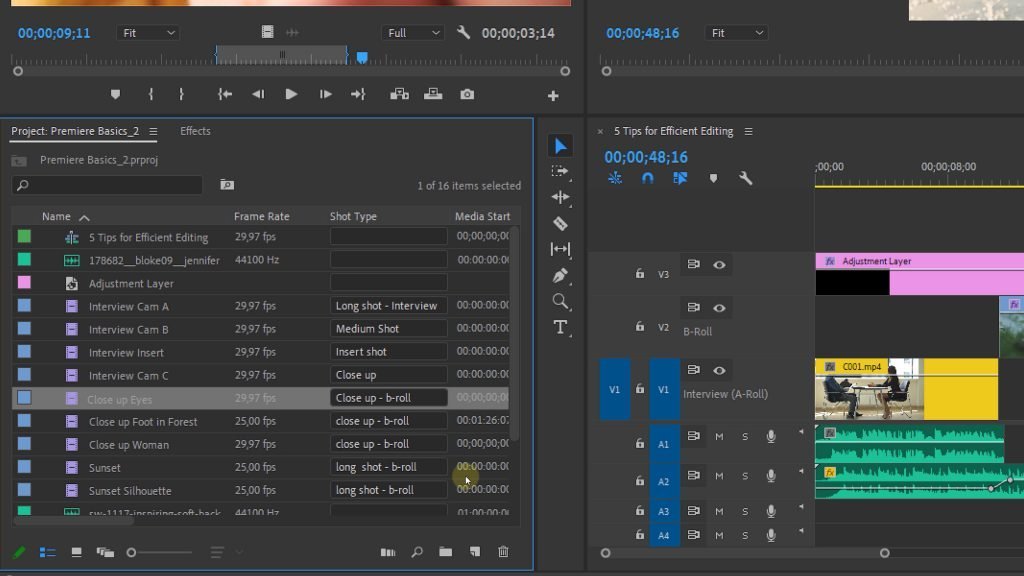
In the project panel you can add new metadata displays, for instance a property field which you can name 'shot type', you can give this a text type. This allows you to name each shot for it's type. Now this takes a bit of time but you will then clearly see which shot is a close up and which shot is a long shot.
Tip #4 Renaming Clips
It takes a huge amount of time when you have a ton of clips but the benefits is that you will never been mistakes again with clips that have the same name.
Tip #5 Bins
A last tip, which is kind of an obvious one for some creators is the use of bins. Withing the project panel we can create bins which are actually folder, just like in your Mac Finder or Windows Explorer. When you're working with a lot of clips, audio clips, adjustment layers, nests and all that, I highly recommend organizing everything into bins. This makes it so much more organized. You can even place bins inside of bins.
Skillshare Classes
If you want to learn even more about editing in Premiere Pro, filmmaking or even lighting, I highly recommend watching our Skillshare classes. We're among the top teachers on Skillshare and have a ton of great reviews. We always try to bring a lot of information in a fun way that is straight to the point.
Jordy Vandeput
Founder of Cinecom · 2.75M+ subscribers on YouTube
Jordy Vandeput is a Belgian filmmaker who has taught practical filmmaking to millions through Cinecom. He breaks professional techniques down into clear, repeatable steps you can use on your very next project.







0 comments