I Tried Editing In The FIRST PREMIERE EVER!
 Jordy Vandeput
32K views
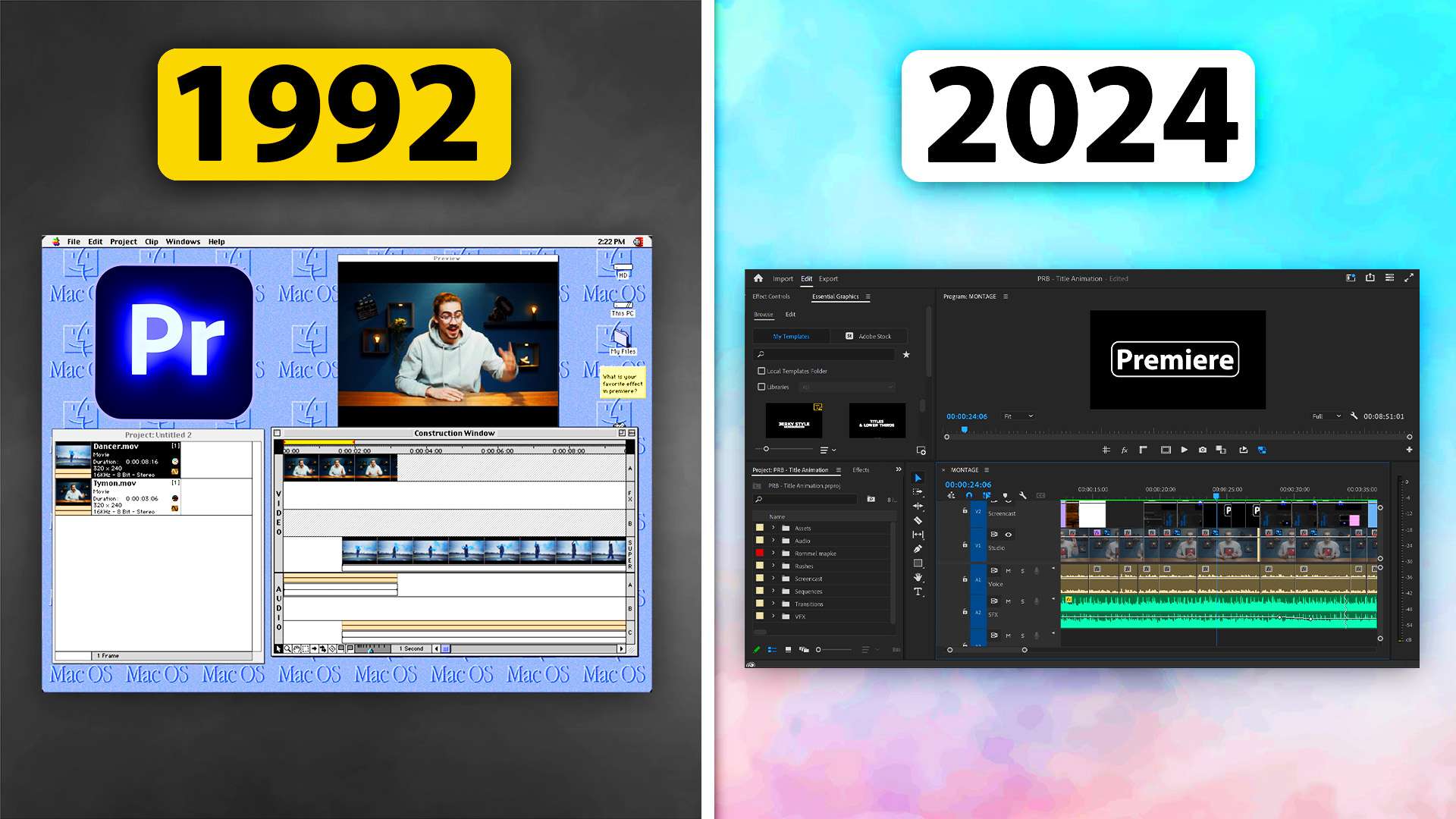
Learn 10 mind-blowing and interesting facts and a little bit of history about Premiere in this Adobe Premiere video!
It was actually pretty good!
You might think that editing in a piece of software from the nineties would be painfull. But in fact, the program was incredibly stable. It was extremely simple with just a few basic features which makes the editing software super stable! Of course, modern video codecs and formats weren't supported back then, and the resolution of the video wasn't that great either..
Before Premiere was released, editing videos from your home was simply not possible. You needed to go to expensive video editing studios with setups that could cost more than 100.000 dollars! And then suddently, you could lay down on your couch and edit videos from home. It was truly revolutionary. I actually used a macintosh emultor to install a real version of Premiere 2.0, that way I could make a high quality screen recording which you can see in the video above!
Adding Special Effects in Adobe premiere!
Special effects were definitely a thing, even with the first version of Adobe Premiere! And fun fact: The effects window already existed back then. You just had to open it up by going to the window menu on top (where you could see all the panels by the way) Just like you can do now! The effects worked a little different tho. If you wanted to apply a transition, you needed to put the effect in between the two A and B tracks. As you can see in the GIF, there was literally and FX track where you could drag these clips in. Weird, right?!
Get all courses and packs for the rest of your life!
We're basically giving away the Cinecom Complete Bundle (worth $3,150). Once you have it, you will get all future courses, packs and updates for FREE! Apply code 'BLACKFRIDAY' at checkout!
Jordy Vandeput
Founder of Cinecom · 2.75M+ subscribers on YouTube
Jordy Vandeput is a Belgian filmmaker who has taught practical filmmaking to millions through Cinecom. He breaks professional techniques down into clear, repeatable steps you can use on your very next project.
Related tutorials
 49K
7:58
How to Make a Glowing Logo in Premiere Pro (With Light Rays)
Make a glowing logo in Premiere Pro with the Film Impact effects that now ship with Premiere: Volumetric Rays, Glint and Wonder Glow, animated with 3D Rotate. Plus the effect order trick that makes the light react to the movement, and two editing tricks I use every day.
 50K
8:17
4 Premiere Built-In Transitions That Replace Keyframes
Premiere built-in transitions can do the work of a stack of keyframes. I show four builds: a text reveal with Motion Camera, a Spin Motion logo animation, a TV turn on effect with TV Power, and lower thirds made from Fold Motion and Spring Motion.
 26K
6:11
How to Make a Superhero Landing in Premiere Pro
Learn how to make a superhero landing in Premiere Pro without After Effects. Cut yourself out with the Object Mask tool, drop in with the Transform effect, speed up the fall with a speed ramp and hit the ground with an earthquake from the Camera Shake effect.


0 comments